
Some issue types are missing from an Advanced Roadmaps Plan
プラットフォームについて: Server および Data Center のみ。この記事は、Server および Data Center プラットフォームのアトラシアン製品にのみ適用されます。
サーバー*製品のサポートは 2024 年 2 月 15 日に終了しました。サーバー製品を利用している場合は、アトラシアンのサーバー製品のサポート終了のお知らせページにて移行オプションをご確認ください。
*Fisheye および Crucible は除く
要約
When using Jira with Advanced Roadmaps (previously known as Portfolio), some issue types are not visible.
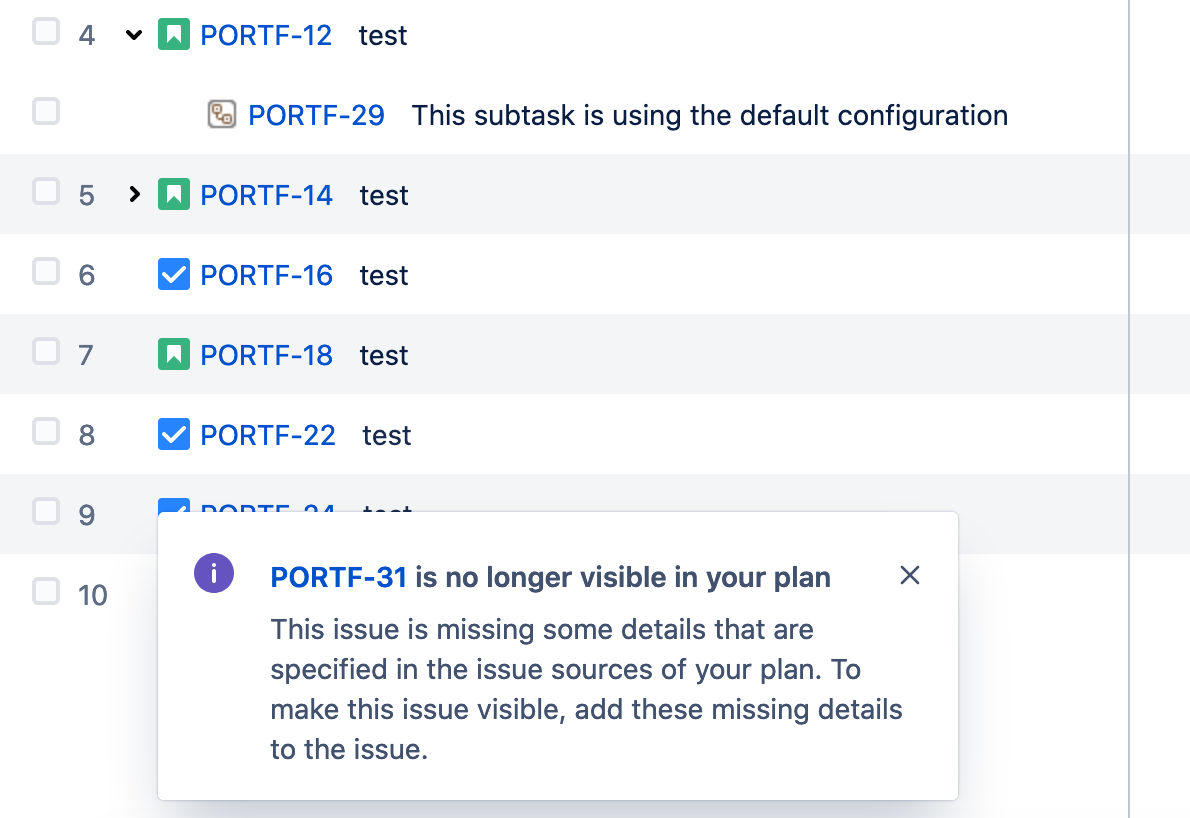
Create a new issue in the plan using the affected issue type, when you Review changes and Save selected changes In Jira you encounter the following error:
エラー
This issue is missing some details that are specified in the issue sources of your plan. To make this issue visible, add these missing details to the issue.
環境
All Jira and Advanced Roadmap versions
原因
This may occur when the issue type is using a Field configuration where the "Fix Version/s" system field was hidden from the Field configuration. "Fix Version/s" is a required field for Advanced Roadmaps. Advanced Roadmaps relies on Fix Versions from Jira to define releases. See Managing Releases for additional information.
ソリューション
- Edit the Field Configuration used by the Issue Type;
- Select Show to add the "Fix Version/s" field;

- Reindex the project
- Plan view will show the missed issues from that issue type after refreshing the page.
If the issue persists, additional troubleshooting steps are available at Troubleshooting missing issues.
There are other known potential causes for issue not being displayed on a plan. You can review them here:
Some issues are missing from plans in Advanced Roadmaps for Jira