
 You need to edit in 'Wiki Markup' mode to include macros in your page.
Use the Thumbnail Macro when you want to create a thumbnail of an inline image attached to any Confluence page. Clicking on the thumbnail image will pop up a window containing the full-size image.
The macro resizes the original image proportionately allowing for a maximum height or width of 200 pixels.
Thumbnail Macro
必要な入力項目 | 表示結果 | ||
|---|---|---|---|
| |
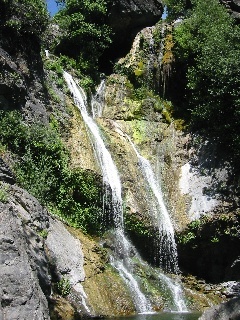
ここで:
'waterfall.jpg' is the name of your image
Thumbnail Macro when displaying an image attached to another Confluence page
必要な入力項目 | 表示結果 | ||
|---|---|---|---|
| |
ここで:
'Space attachments directory' is the name of the other page
| 情報 |
|---|
Confluence will only create thumbnails for these file formats: gif, jpg, and png. The bmp format is not supported. |
関連トピック
Gallery Macro
Image File Formats
Attaching Files to a Page
Working with Macros
Take me back to Confluence 2.0 Home