
Excel 表示マクロで添付ファイルが読み込まれない
症状
When Attempting to Load an attached .xls or .xlsx file using the View Excel Macro in a confluence page after attaching an Excel file to a page and try to insert the view Excel macro, the macro menu doesn't show the attached Excel file in the relevant drop-down field. As a result, I'm not able to insert the attached Excel file into my page. There is nothing in the error logs indicating that any is wrong. And this only occurs in some pages.
The Macro settings appear as follows:
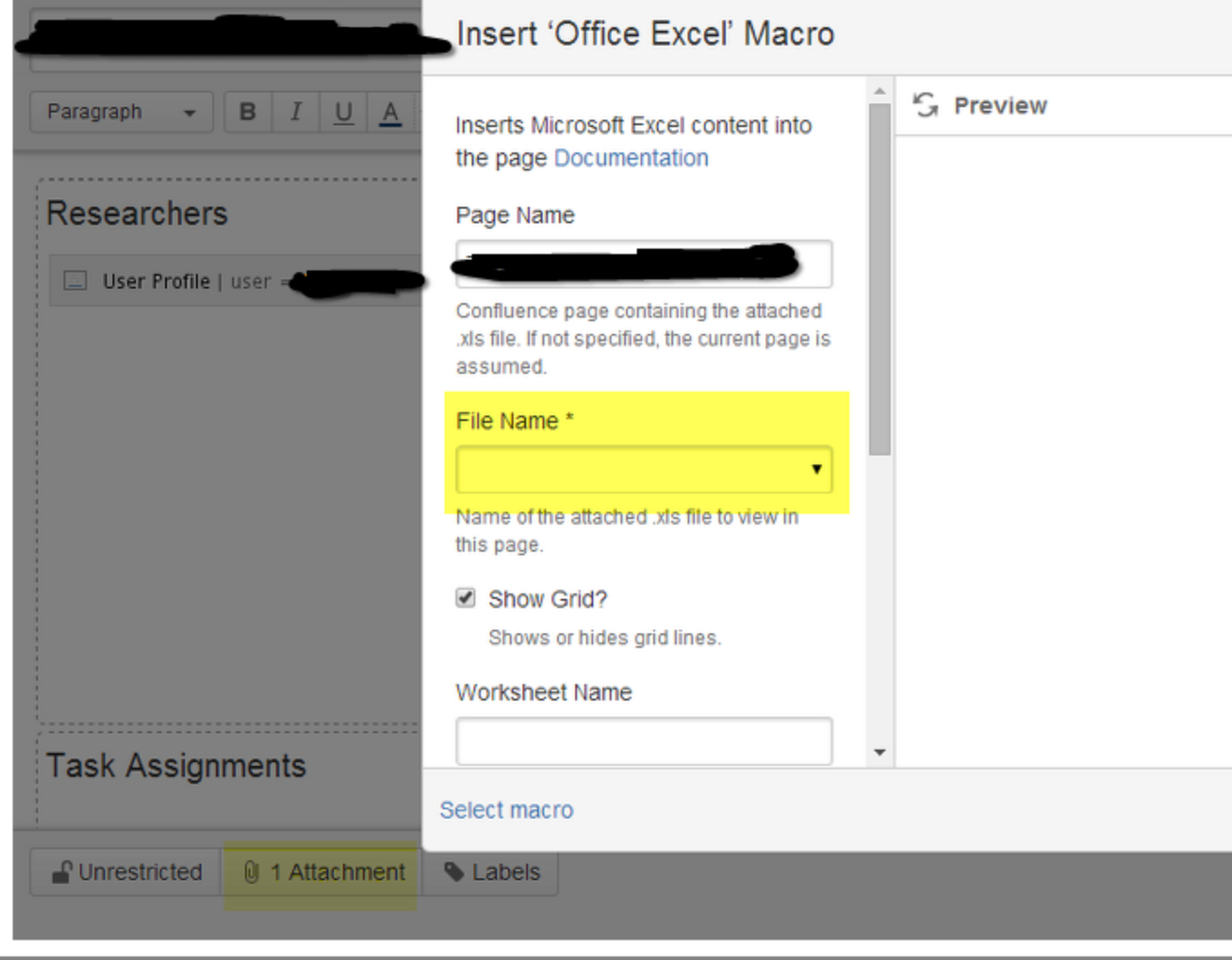
If page title contains colon ":" character, attachments might not be displayed due to the known bug CONFSERVER-24540
診断
- You have an Excel document attached.
- The Document can be downloaded and contains no errors
- The File will not display in the Field Name Field
- The same file will however load into another page with the same settings using the Excel Page macro
回避策
Simply Dragging and Dropping the excel file from your local file browser into the page being edited, will bypass this behavior and allow the excel macro to load the file.
ソリューション
- オプション 1
- Download the file from the page
- Enter the edit mode for the desired page
Open a file Browser window and navigate to the downloaded file
Drag the .xls or .xlsx file into the page being edited
- this will bypass the upload feature and attaches directly to the space, allowing the Excel macro to load appropriately.
- with this method it will continually fail to load when trying the upload from attachments method for future attachments.
オプション 2
Copy all information from the page
Delete the page and create a new one
- Paste the information into the new page
- This method will only copy text and require rebuilding any macro configurations, and formatting