

Java 17 runtime opens and exports arguments
Because of the added support for Java 17, you might get errors when installing Jira 9.5. Here's how to prevent this.
If you're using Maven plugins like Maven Failsafe plugin, Maven Surefire plugin, or any other for testing purposes, you must add the JVM opens/exports arguments to the argLine property in the configuration block.
In the following example screenshot, we have the empty argLine property for JVM 8 and 11, and it'll be activated for JVM 17 via the jvm17 profile.
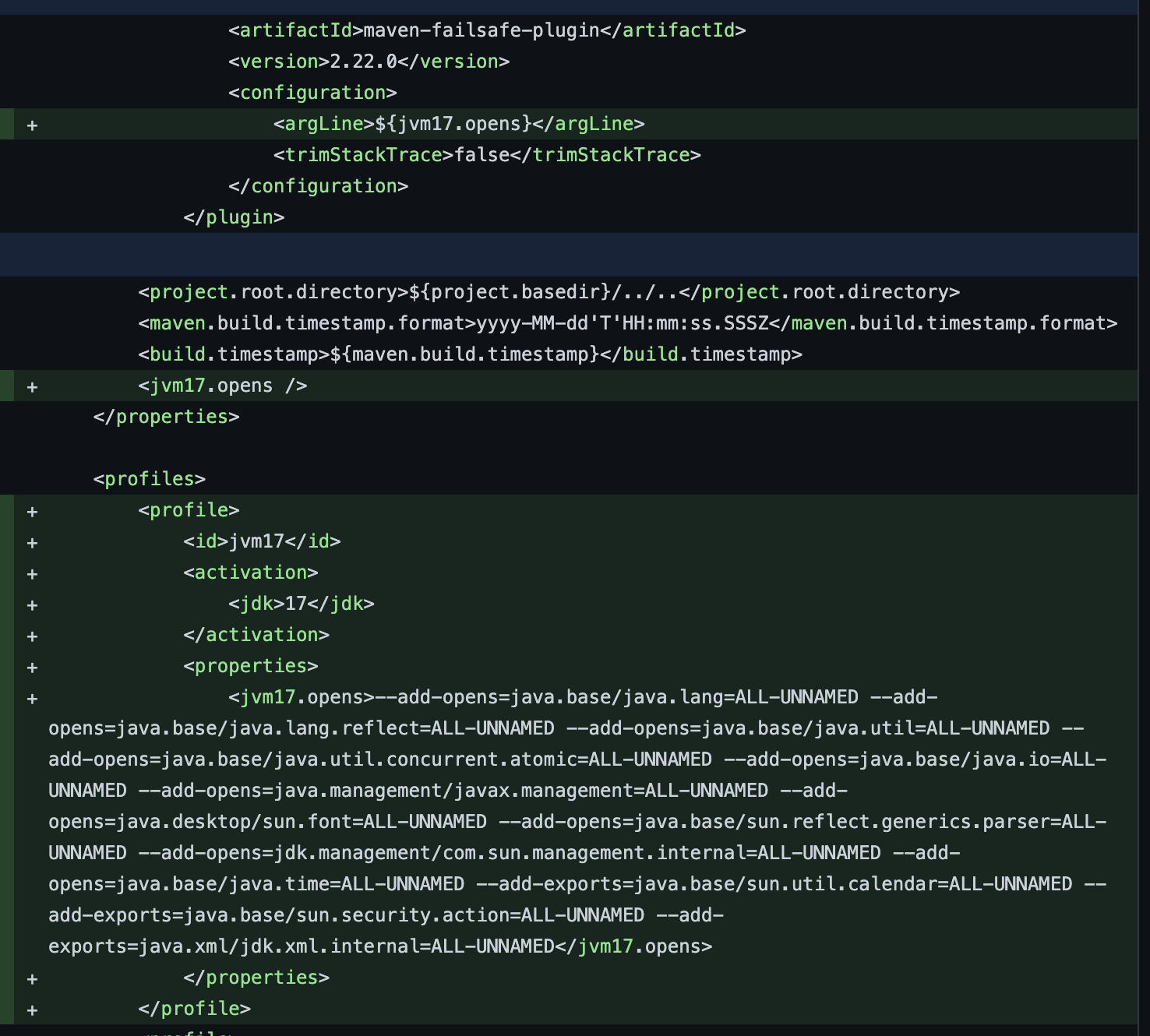
Copy the following script to run Jira 9.5:
--add-opens=java.base/java.lang=ALL-UNNAMED --add-opens=java.base/java.lang.reflect=ALL-UNNAMED --add-opens=java.base/java.util=ALL-UNNAMED --add-opens=java.base/java.util.concurrent.atomic=ALL-UNNAMED --add-opens=java.base/java.io=ALL-UNNAMED --add-opens=java.management/javax.management=ALL-UNNAMED --add-opens=java.desktop/sun.font=ALL-UNNAMED --add-opens=java.base/sun.reflect.generics.parser=ALL-UNNAMED --add-opens=jdk.management/com.sun.management.internal=ALL-UNNAMED --add-opens=java.base/java.time=ALL-UNNAMED --add-exports=java.base/sun.util.calendar=ALL-UNNAMED --add-exports=java.base/sun.security.action=ALL-UNNAMED --add-exports=java.xml/jdk.xml.internal=ALL-UNNAMEDWhen starting on JVM 17 from shell scripts, Jira will add all needed opens and exports itself.
最終更新日: 2022 年 12 月 9 日
Powered by Confluence and Scroll Viewport.